Contact Us

Have an inquiry? Please send us a message.


123 Street Avenue, City Town, 99999

(123) 555-6789

email@address.com


You can set your address, phone number, email and site description in the settings tab.
Link to read me page with more information.

News

News from Elf, a digital creative agency at the intersection of the arts and sciences.

Filtering by Category: Apple News

With watchOS5, Apple Adds Activity and Communications Features to the Apple Watch

Elf

Apple's watchOS 5 makes it easier to stay active and connected to the world around you in ways you choose.

Image via Apple

Image via Apple

We are excited by the improvements to Apple Watch with the latest iteration of its watch software, watchOS5. New features include auto-workout detection, advanced running features, Activity Sharing competitions, Apple Podcasts integration and its ability to detect even life-threatening conditions via the Health app. Apple Watch usage has increased worldwide, taking the number one spot among smartwatch usage.

When Apple offered cellular connectivity to the Apple Watch, making it independent of the iPhone, the results were dramatic. This was something we had wished for and were thrilled to see. Becoming independent of the iPhone was a huge accomplishment as the Apple Watch becomes its own independent ecosystem, offering a way to be Internet-connected without being tethered to a mobile phone. This makes physical activities such as running or using gym equipment so much easier and smoother, and overall creates a more seamless experience - so very James Bond

Apple Leads the Wearables Market

Adding cellular connectivity in Apple Watch Series 3 was huge for Apple, as it pushed Apple to the top of the wearables market in Q1 of 2018, according to IDC, a market research firm that closely tracks sales, revenue and growth worldwide. Smartwatch sales continue to grow worldwide by as much as 1.2 percent in the first quarter. During this same period, smartwatches like the Apple Watch and devices from Fitbit grew by as much as 28.4 percent while other wearables declined 9.2 percent. 

Apple sold 4 million Apple Watches worldwide, with 13.5 percent growth year to year, thus winning 16.1 percent share of the market, surpassing Xiaomi, the Chinese company that previously held the number one spot. Fitbit took the third spot, followed by Huawei and Garmin.

T-Mobile Credits Growth in Part to Apple Watch

In a Q2 investor call, T-Mobile CEO John Legere credited the Apple Watch and wearables as a whole with fueling new customer growth during the June quarter by as much as a lion for the quarter. T-mobile had 1.6 million total net additions and 4 percent revenue growth year-over-year for the period.

"Branded postpaid other net customer additions were 331,000 in Q2 2018, up 47,000 from Q2 2017," the firm said. "Year-over-year the increase was due to higher gross customer additions from connected devices, specifically the Apple watch."

Largest Collection of Biometric Data

At WWDC earlier this summer, Apple Vice President of Technology Kevin Lynch, lead the main watchOS5 demo. He shared that Apple has collected 6TB of data from 12,000 participants, logging 9000 hours and 2.3 million calories of biometric information, which he called "the largest biometric data collection of its kind."

Better Fitness Tracking and Activity Completion

Apple has introduced more fitness tracking options to auto-detect workouts to start and stop workouts. Both yoga and hiking have been added as new workouts to Apple Watch, which we love, given our team and our locations in Colorado, Vermont, Norway and Switzerland. At Elf, we love fitness and are always looking for ways to improve, learn more and apply this knowledge both in our personal and professional lives. Using the Apple Watch has been part of this process for us. Athletic activity is big at Elf. :) In particular, skiing and snowboarding is a big thing for us and one of our upcoming apps is designed for the intermediate ski and snowboard enthusiast and athlete.
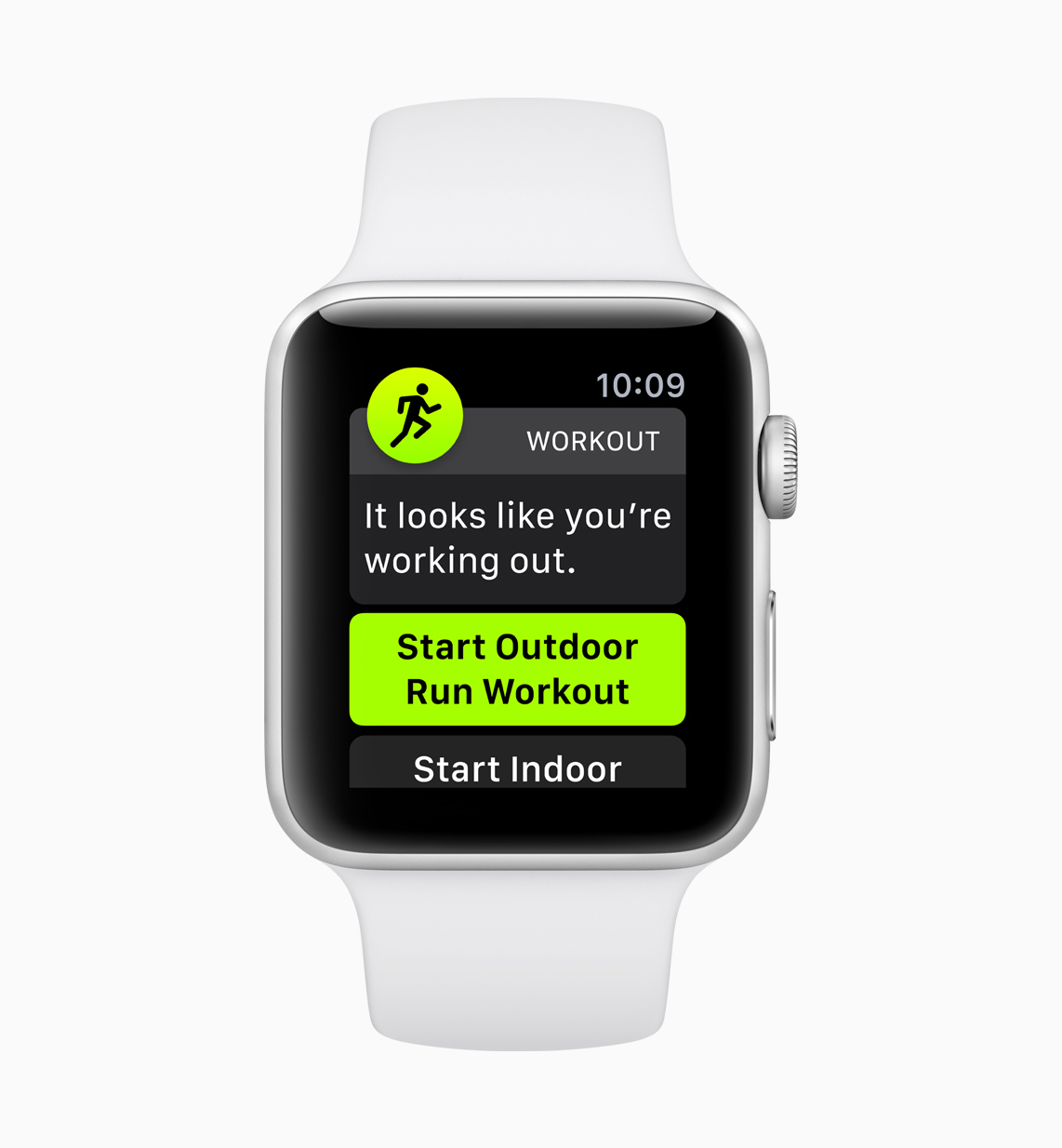
Image via Apple

Image via Apple

Automatic workout detection means that your Apple Watch will keep recording your activity when you're working out. This feature works with Outdoor Run, Indoor Run, Outdoor Walk, Indoor Walk, Elliptical, Rower, Pool Swim and Open Water Swim.

Image via Apple

Image via Apple

With watchOS5, you can challenge friends to fitness competitions, win awards based on your activity points and closing rings with the new Competition option. You will also receive regular progress reports to help you see where you stand in relationship to your friends, motivating you to workout.

Image via Apple
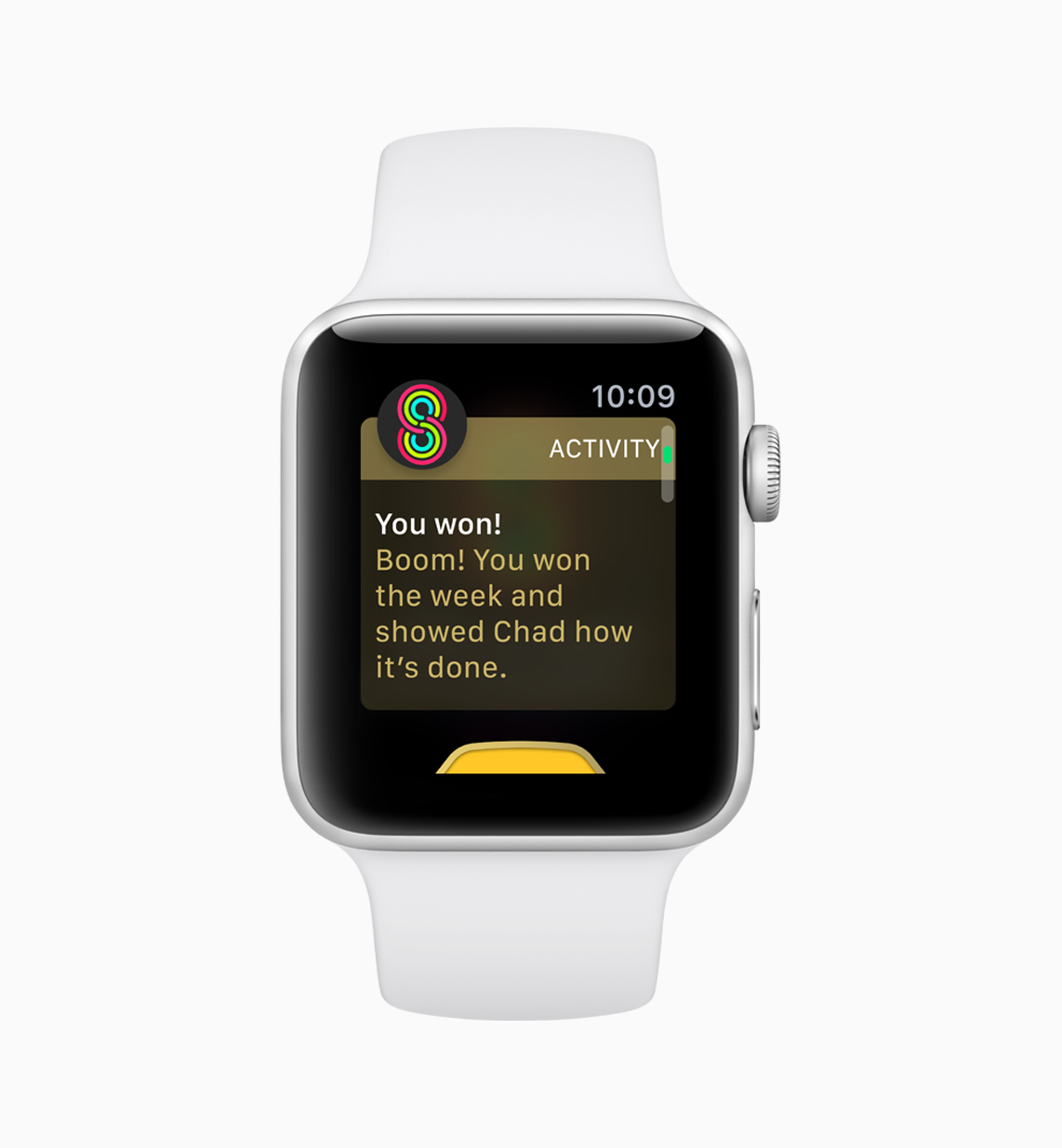
Image via Apple

Image via Apple

Image via Apple

New Running Features

Apple Watch now has a new pace alarm for outdoor runs in watchOS 5 that helps users know if they are ahead or behind their designated target running pace. Apple's watchOS5 introduces two new metrics, cadence or steps per minute metric for both  indoor and outdoor runs and walk, and the  rolling last mile that shows the pace for the last preceding mile. Previously, Apple had integrated workout tracking from popular gym equipment such as treadmills, bikes and elliptical machines for more accurate individual workout statistics.

Image via Apple

Image via Apple

Image via Apple

Image via Apple

Walkie-Talkie

One of the best new features of watchOS5 is Walkie-Talkie. With watchOS 5, Apple introduces Walkie-Talkie,  a new way using a popular old name that immediately conjures up understanding of having a personal one-on-one communication method. Just like a traditional Walkie Talkie, Walkie-Talkie uses press-to-talk communication to connect you to your friends and family.

Walkie-Talkie works with just your voice and a tap of the wrist, helping you get in touch with friends and family quickly. The feature can be activated between any compatible Apple Watch users over Wi-Fi or cellular anywhere in the world! We look forward to testing this feature out.
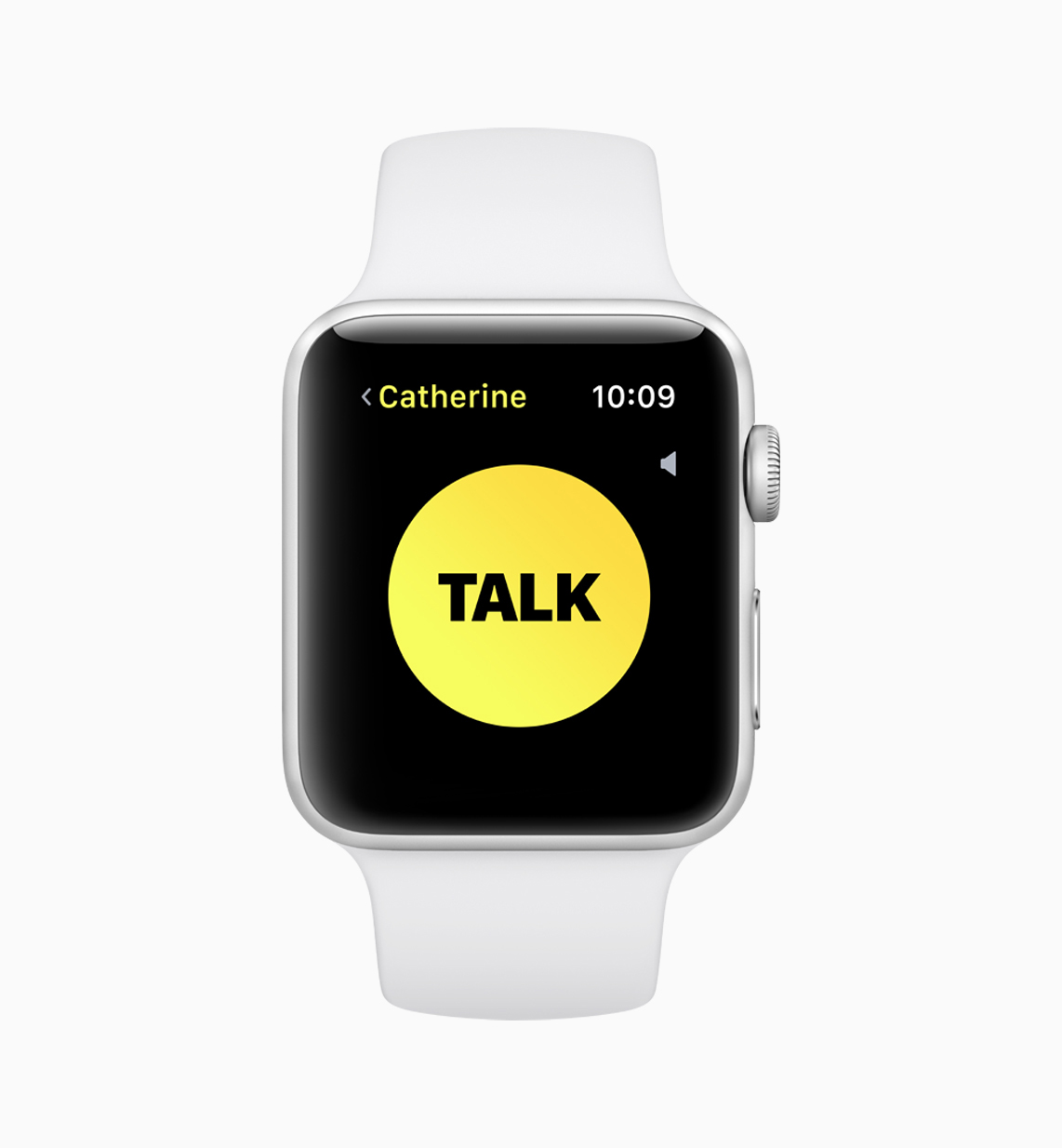
Image via Apple

Image via Apple

Apple Podcasts

We are very happy to see this integration as we are launching our new podcast Stardust this year at last! It was on our wish list for WWDC 2018 and was fulfilled! With watchOS5, Apple's popular Apple Podcasts app comes to the Apple Watch. You can listen to any podcast on the go, streaming using the catalog available via Siri. New episodes sync to your Apple Watch and automatically update to your latest episode. Apple also offers third-party integration for music, audiobooks and meditation sessions from Pandora, Audible and 10% Happier that can be played back offline without needing access to the individual user's iPhone right away.

Image via Apple

Image via Apple

Siri Updates

Siri on the Apple Watch has improved, with more predictive shortcuts using machine learning to act as a better personal assistant, using information gathered from your routine, location, workouts, heart rate and other details. You can also see informations such as sport scores or commute time using Maps, as well as content from Citymapper and Nike+ Run Club.

Image via Apple

Image via Apple

Enhanced Notifications and WebKit Integration

Notifications are now smarter and interact more, allowing you to check into a flight, pay for a ride and book a table at a restaurant with a wrist notification. You can use third-party apps appear now through watchOS5 with interactive controls so you do not have to use the full app. 

With Webkit integration, watchOS5 allows you to view some website content from apps like Mail and Messages. You can click on links and load sites right in Apple Watch. While it is not full Safari support, it does let you more than prior versions.

Student ID Cards

Another cool feature with the Apple Watch is replacing Student ID cards. Students can just raise their wrists and gain immediate access to different campus areas such as the  library and dorms and to attend events. By adding their ID cards to the Wallet on Apple Watch, they can also pay for snacks, laundry and dinners around campus. This feature has now launched on several college campuses including Duke University, the University of Alabama and the University of Oklahoma. It is slated to be available to Johns Hopkins University, Santa Clara University and Temple University later this year as well.

Image via Apple

Image via Apple

Availability

As a free update for Apple Watch Series 1 and later, watchOS 5 will be available soon this fall. It requires iPhone 5s or later using iOS 12. Along with watchOS5, Apple has also introduced a range of new bands and colors. Later this fall, Apple is also expected to release the Apple Watch Series 4.
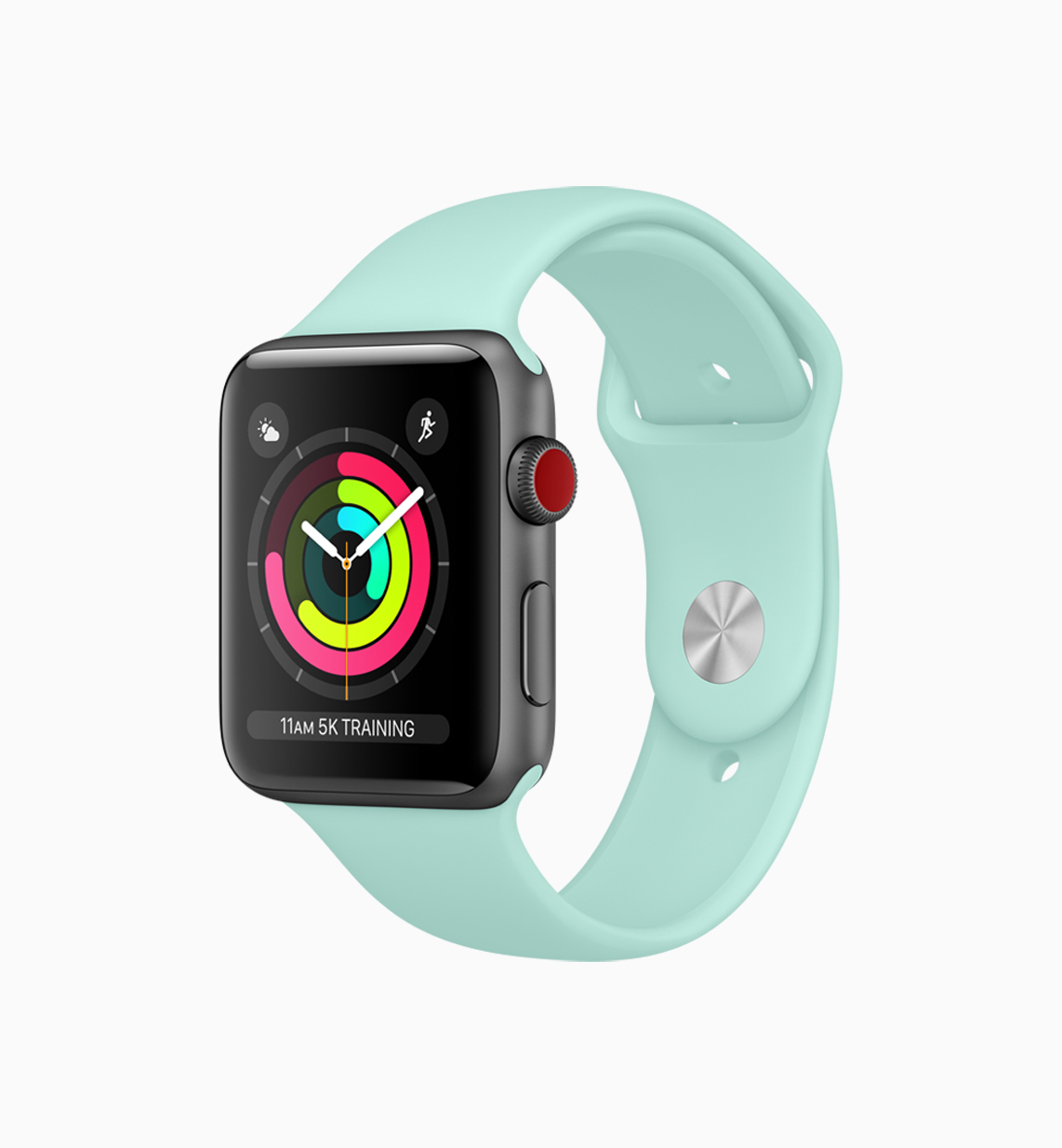
Image via Apple

Image via Apple

Features We Would Like to See

We love the improvements that have been made to watchOS. In future versions, we would like to see an update to the Apple Watch itself so it could handle external weather and varying circumstances more easily. Basically, it would be great if the watch was more rugged and comfortable getting wet or having snow falling on it. It is a beautiful piece of hardware and we are hesitant to push it too far. Having more rugged outdoor protection of some kind would be great to see. 

Also we would love to see Apple have its own Apple Watch community similar in concept to Fitbit's, but uniquely its own. We think that is an area that Fitbit really shines. We love the detailed statistics and real-time information, helping you pick out workouts and stay motivated.

At Elf, we are always excited about new updates to the Apple Watch. See our prior 2016-7 Apple Watch we developed hereThis is a budding ecosystem that we are happy to contribute to and to explore as it continues to evolve. Thanks for reading!

WWDC 2018: Highlights and Some of Our Favorite Updates - Part 2

Elf

Here's Part 2 of our WWDC coverage. You can read Part 1 here.

Image via Apple

Image via Apple


Reviewed in Part 2

  • Security measures to stop retargeting and fingerprinting

  • Faster CPU performance

  • Siri improves and interacts with third-party media apps like Spotify

  • Dolby Atmos

  • WatchOS becomes more social

  • Mojave Stacks and more features

  • Health App AP opens up to developers

Security Measures to Stop Retargeting and Fingerprinting

Image via Apple

Image via Apple

iOS 12 and Mojave bring new security measures that we like such as the ability to restrict fingerprinting - a process by which data companies track individual users and their Internet histories, patterns and consumption. Coming off the heels of the Facebook Cambridge Analytica data scandal, Apple has clearly emphasized privacy with a new Safari feature that blocks tracking sites like Facebook’s Like and Comment feature and comment fields without your explicit permission.

Apple only only websites a simplified system configuration to prevent fingerprinting, a sneaky way that advertisers and hackers use to identify and fingerprint your device for advertisements or steal your confidential data.

macOS Mojave also has enhanced security and privacy, making it easier for you to create more unique, stronger passwords and also protect and limit app access to your camera, microphone, mail database, message history, Safari data, iTunes device backups, locations, system cookie and Time Machine backups.


Faster CPU Performance

Image via Apple

Image via Apple

Apple has double downed on performance, increasing CPU performance for multitasking and using power-intensive apps. Apps on the iPhone 6s Plus launch up to 40 percent faster, with up to 50 percent faster keyboard display, and a 70 percent faster shift to the camera. The increased CPU performance is visible on older models as well as newer ones.


Siri Improves and Interacts with third-party Media Apps like Spotify

Image via Apple

Image via Apple

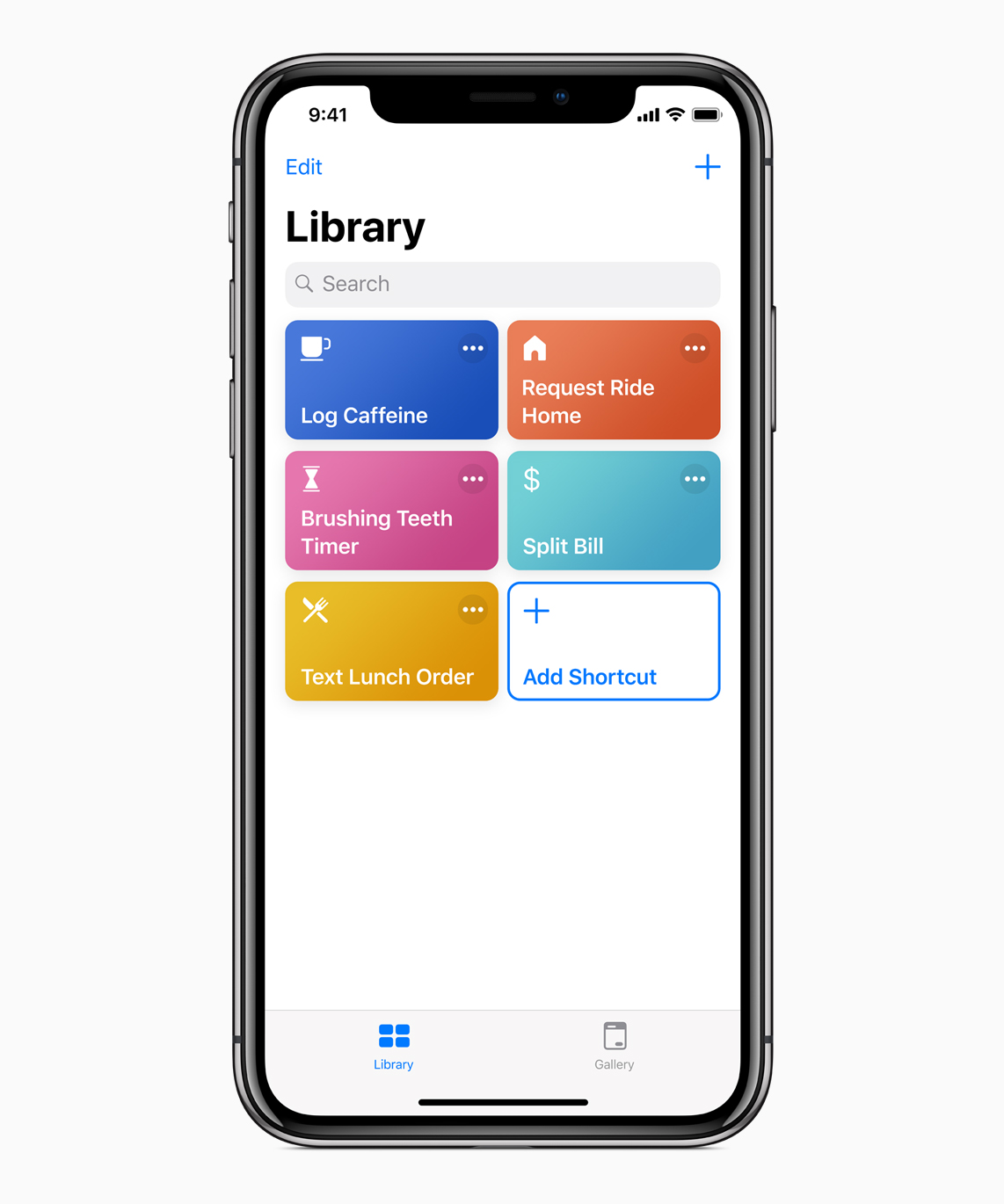
Apple has opened the door to compatibility with third-party streaming services in Siri. Siri can control playback in apps like Spotify. Apple also demonstrated using Siri in a variety of situations at WWDC with an event-filled day for travel such as booking a flight, playing music, ordering food, responding to a Message and a variety of shortcuts for common tasks.

iOS12_Siri-Shortcuts-Library_06042018.jpg

Dolby Atmos

Image via Apple

Image via Apple

Dolby Atmos is coming to Apple TV 4k on all supported movies, TV shows and music videos for free with tvOS12. You will also be able to automatically log into your streaming account with a new "Zero Sign-On" feature that simplifies the previously cumbersome cable authentication process. Apple TV will detect your broadband network and automatically sign you into all your supported app that you have with your cable subscription.

There are also some nice new aerial screensavers with images from the International Space Station. Apple TV has also more improvements such as AutoFill passwords from the iPhone and an Apple TV Remote that is automatically added to the Control Center on the iPhone or iPad. Apple TV support is also available on Home control systems like Control4, Crestron, and Savant.


WatchOS becomes more Social

Image via Apple

Image via Apple

With watchOS5, Apple has improved workout capabilities and ways to connect with others and socialize. There's a a new Walkie Talkie app that merges real-time voice conversations with spontaneous messaging. For motivation, there is tracking and progress reports regularly as well as ways to compete with friends and family. New workout options such as Yoga and Hiking have been added. There's also an automatic workout detection works with Outdoor Run, Indoor Run, Outdoor Walk, Indoor Walk, Elliptical, Rower, Pool Swim, and Open Water Swim. You can also just raise your wrist to speak to Siri, instead of asking, "Hey Siri."

We are happy to see that podcasts are finally now on the Apple Watch via a Podcasts app that syncs with the Podcasts app on your iPhone. 


Mojave's Stacks and More Features

Image via Apple

Image via Apple

Apple's latest desktop operating system, Mojave, has several neat features. Desktop Stacks organizes all your desktop files into piles arranged by type, date, or tag. There's a new Gallery View in the Finder, enabling you to preview files one after the other, rotate photos and edit files without leaving the Finder interface. QuickLook view now offers Markup, a way to make simple, quick edits to your files. You can even trim video and audio clips without ever opening an app using QuickLook.

The Preview Pane also now shows the full metadata for a file. This helps with managing media assets. Finally, in Keynote, there's a new tool which enables you to quickly sync up with your phone and add photos you just took, immediately into your working files. The ublic beta is now available at beta.apple.com.


Apple Opens Up Health App Data to Developers

Image via Apple

Image via Apple

Apple also released a day before WWDC a new Health App API enabling developers to access health data. This is a significant leap forward in terms of proactively managing medications, nutrition, conditions and diagnosed diseases. This allows patients to access information from 500 health institutions, hospitals and clinics on one iPhone easily. This will help patients get a broader, holistic view of their health. Learn more here. Health records data is encrypted nd protected with the consumer’s iPhone passcode. When consumers choose to share their health record data with trusted apps, the data flows directly from HealthKit to the third-party app and is not sent to Apple’s servers.

This allows sharing of data and tailoring apps for individual experiences with the user’s permission, based on the user’s unique health history for medications, planning nutrition, managing diseases and for medical research using the Research Kit app. We are excited to use this new feature in apps we build.


And a Few More Updates We Like...

Like prior Apple WWDC events, Apple only shared major highlights. There is too much to cover in the time allocated for every detail. We've listed a few more features and updates that Apple has brought in iOS 12 and Mojave that deserve a mention. 

Smoother Animations

Apple announced that apps would launch faster. iOS 12 also has faster animations, making them smoother and avoiding prior odd experiences such as stuttering, frame rate drops or other aspects because of slow-loading animations. 

iPhone X-like gestures on the iPad

This is a fabulous new feature for the iPad where Apple has brought some of the iPhone X's swipe gestures to the iPad. When you swipe down from the top right corner, you bring up Control Center, and a swipe from anywhere on the dock will bring you back to the home screen. This is also possibly a way to prepare for a future iPad Pro without a home button and employing Face ID.

Critical Alerts that can Bypass Do Not Disturb

iOS 12 offers new critical alerts that you can opt in as a user such as receiving urgent messages from health care providers even when you have Do Not Disturb activated. 

Improved RAW Photo Support

Apple offers improved RAW photo support on iOS, making it easier to edit on iPad Pro. Some of these updates were available on the iPhone in iOS 11 but the latest update takes it further. Apple's iPhone X photography capabilities got a boost from the the British Advertising Standards Authority (ASA), which ruled that Apple's iPhone X did provide studio photography capabilities despite complaints. The iPhone X uses a 50 mm focal lens, the most popular lens used in commercial studio photography and also offers a range of studio lighting options.


That wraps up our WWDC coverage for 2018! You can download the public beta at  beta.apple.com. Also check out prior post Part 1.

View coverage from last year.


WWDC 2018: Highlights and Some of Our Favorite Updates

Elf

Last Monday, Apple held its annual WWDC event, attended by more WWDC scholars and young developers than ever before. This year’s event focused primarily on software updates. 
 

Image via Apple

Image via Apple

Here are some highlights and some of our favorite updates. WWDC 2018 was attended by developers from 77 countries.

Reviewed in Part 1

  • App store turning 10 next year

  • iOS 12 and Mojave preview

  • ARKit2 new tools and file format

  • Redesign of Mac Store

  • Bringing iOS apps to the Mac

  • Apple News expands to the Mac

  • iBooks becomes Apple Books

  • CarPlay includes 3rd party navigation apps

  • Memojis and Group FaceTime


The App Store turns 10 Next Year

Image via Apple

Image via Apple

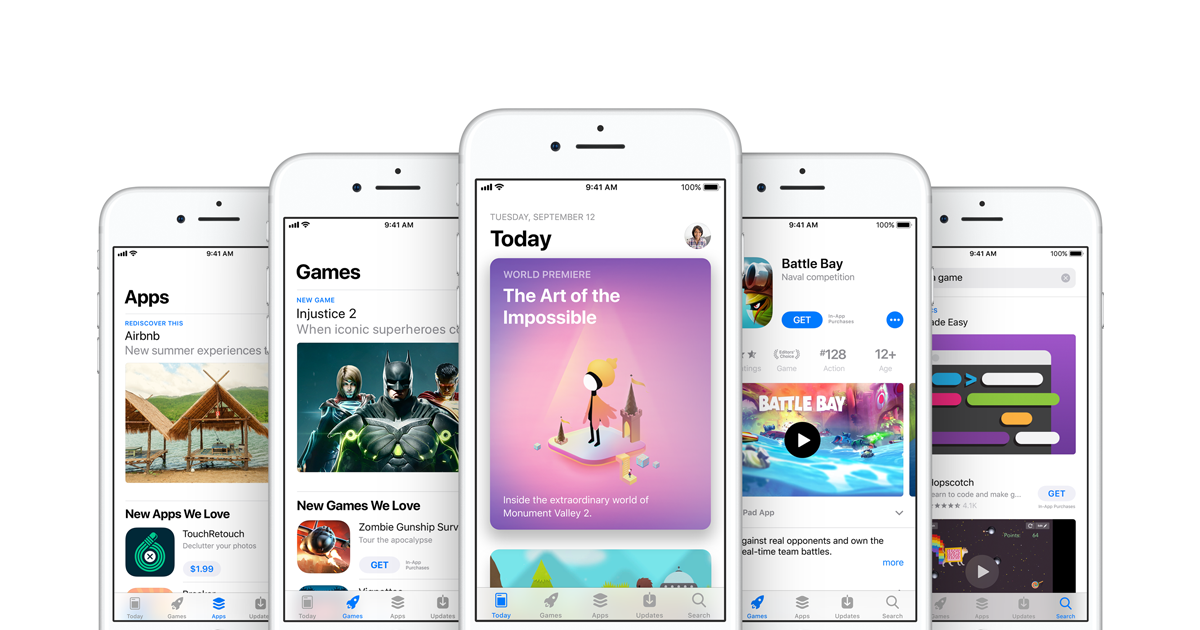
The App store, which has given rise to an entire app economy, celebrates its tenth anniversary next year. $100,000,000,000 ($100 billion) has been paid out to developers since its launch, inspiring new startups, innovation, cross collaboration and entrepreneurs all over the world.

Image via Apple

Image via Apple

Image via Apple

Image via Apple


iOS 12 and Mojave Preview

Image via Apple

Image via Apple

Apple announced the developer preview of iOS 12 for the iPhone and iPad and Mojave for the Mac, replacing High Sierra. The developer preview is available at developer.apple.com and a public beta program will be available to Mac users in late June at beta.apple.com.

In sync with consumer concern about being constantly tethered to their devices, Apple has built in time management and focus tools with Screen Time, so that you can get a weekly Activity Report on your usage of your iOS device. This helps you track where you are spending time most and how you use your mobile devices, for how long and which apps send you the most notifications.

This will help you monitor your app and device usage and manage your time better, reducing interruptions. You can set App Limits and Parental Controls. You can also determine when and how you wish to receive notifications, and have them go to the Notification Center and not appear on your Lock Screen with Deliver Quietly mode on.

Image via Apple

Image via Apple

At the same time iOS 12 introduces new Critical Alerts that you opt in for (and can opt out at any time) such as alerts from your healthcare providers that you want to receive in emergencies.

Image via Apple

Image via Apple

We're happy to see that Apple has increased performance and efficiency to make both iPhones and iPads faster and more responsive as well as improving prior model performance. This makes it easier to launch apps and use the Camera and to work on several applications at one time when you need higher performance.

Increased CPU performance allows live rendering of rich animations and video using programs like Metal by Unity on MacBook Pro possible. 

Image via Apple

Image via Apple

Mojave Preview

Apple also previewed Mojave, its latest operating system for the Mac, replacing High Sierra. A standout feature is the new Dark Mode that is pushed out beyond just the menu and dock to full apps and windows adopting the theme.

In addition, several iOS apps are now available on the Mac as part of a new project Apple has been working on and expects to complete by 2019 where developers can more easily port iOS apps to macOS. We've discussed it in more detail below. 

Apple News, Stocks, Home and Voice Memos are now all available in macOS Mojave. 

macOS Mojave is free and compatible with 2015 and newer MacBooks, 2012 MacBook Airs and newer ones and even Mac Pro models from 2013.


ARKit2 Introduces New Tools and File Format

Image via Apple

Image via Apple

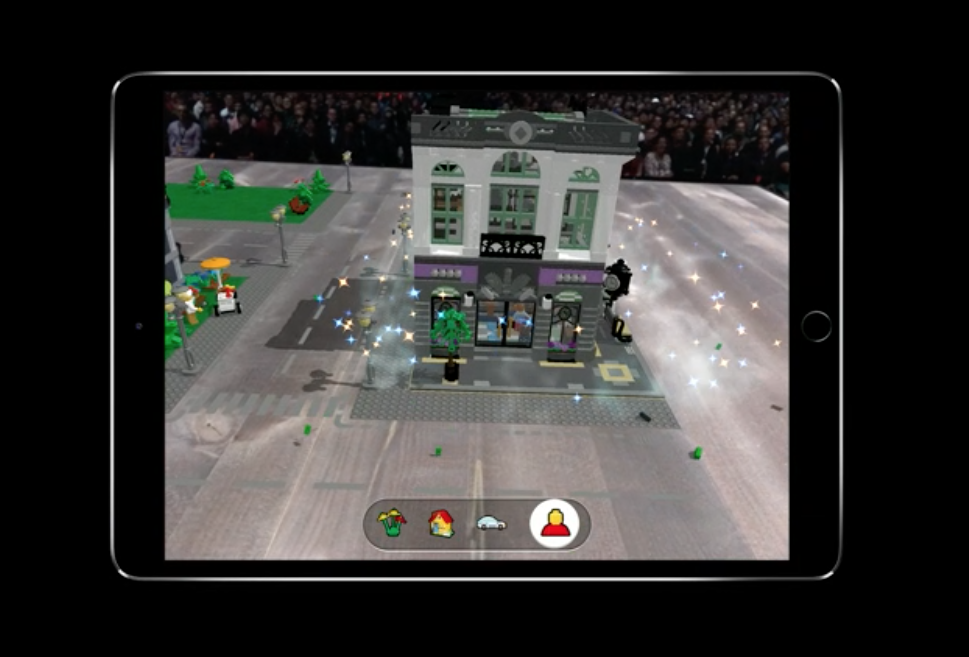
We're excited about the new tools for ARKit2 - augmented reality for iOS with the new USDZ file format designed with Pixar, and now integrated into Adobe. ARKit2 offers measurement tools and multi-player or user shared environments.

Image via Apple

Image via Apple

Quick Look for AR helps you place 3D objects into the real world to see how something would work in any space.

Image via Apple

Image via Apple

Below are images from Lego's demo at WWDC.


Redesign of Mac Store

Image via Apple

Image via Apple

This is something we have been eager to see, to match up with the beautiful redesign of the iOS App Store that happened last year with iOS 11. Now with Mojave, the Mac App store is revamped with a clean look, and convenient tabs such as the Discover one to highlight the best Mac apps along with in-depth editorial content, editor's choice picks and additional Create, Work, Play and Develop tabs to improve app discovery.

Image via Apple

Image via Apple

The new Mac App Store redesign also brings compelling stories and helpful videos.

Image via Apple

Image via Apple

Redesigned product pages offer reviews and ratings along with new video previews so you can explore the app before making a purchase or downloading it. 

Image via Apple

Image via Apple

Create, Work, Play and Develop tabs offer recommendations and expertise about apps, including tips and tutorials for even expert users.

Image via Apple

Image via Apple

Machine learning technology is available via Core ML 2 and Create ML for developers to integrate into their apps. Small changes are already included in Mojave such as faster wake from sleep, improved hard drive performance,  Favicons in Safari tabs, Apple Filesystem support for Fusion and hard drives and more.

Microsoft Office 365, Adobe Lightroom CC and BBEdit are available in the new Mac Store.


Bringing iOS apps to the Mac

Image via Apple

Image via Apple

This by far is one of the most exciting developments at WWDC this year. Apple announced that it would allow developers to port their iOS applications to the Mac and that Apple had already started and successfully tested the process by already bringing over iOS apps - Home, Stocks, Apple News and Voice Memos - to macOS 10.14 Mojave.

This project, named Marzipan, will be finalized by 2019. Prior to this, many Mac applications were based off a software framework called AppKit that provides user interface elements such as windows, menus, buttons, scrollers, and text fields along with additional software required to display applications on your devices. AppKit was first created back in the 1980s and adapted from the original NeXTSTEP Application Kit.

With iOS apps, Apple developed a new kit called UIKit for smaller screens and limited touch controls that are quite different from code frameworks from Mac apps. In addition, AppKit includes mouse and keyboard inputs while UIKit is designed for touch input. Through this new endeavor, Apple is providing an easier way for developers to bring over their iOS apps to the Mac and for them to give these apps a Mac-like user interface. This also saves time as the developer would not have to build the entire app from scratch using AppKit user interface. By adding UI Kit as a native framework, the ported apps can run natively without using a simulator. Developers will now have access to both the existing AppKit and a new UIKit for the Mac.

Image via Apple

Image via Apple

Image via Apple

Image via Apple

Within Apple’s own ecosystem, iPad apps and tvOS apps for the Apple TV work already in a similar way as they are built in UIKit. This makes it easier to port from one platform to another. You still have to adapt to the interface of each platform with its own design, controls and considerations.

Image via Apple

Image via Apple

In an interview with Wired magazine, Apple's senior vice president of software engineering Craig Federighi said Apple is planning to developers on their way in this process. Developers will able to designate in Xcode when they want to make an app variant to run on macOS. This will also automatically replace how some parts of the app interact, such as changing long presses on iOS into a two-finger right click on a Mac.


Apple News expands to the Mac

Image via Apple

Image via Apple

Image via Apple

Image via Apple

Image via Apple

Image via Apple

We are very excited to see some of the new Apple News updates, with enhanced iPad experience and full left tab navigation and integration with the stock app. Apple News is also now available on the Mac. We are launching our own Elf channel on Apple News this year so check back for our release! 


iBooks becomes Apple Books

Image via Apple

Image via Apple

Image via Apple

Image via Apple

We love the iBooks redesign and its new name Apple Books. Apple Books has a beautiful presentation, better search functionality for discovery 


CarPlay Includes 3rd Party Navigation Apps

Image via Apple

Image via Apple

Another update we were excited to see what the third-party navigation app update to CarPlay, allowing apps such as Waze and Google Maps. 


Memojis and Group FaceTime

Image via Apple

Image via Apple

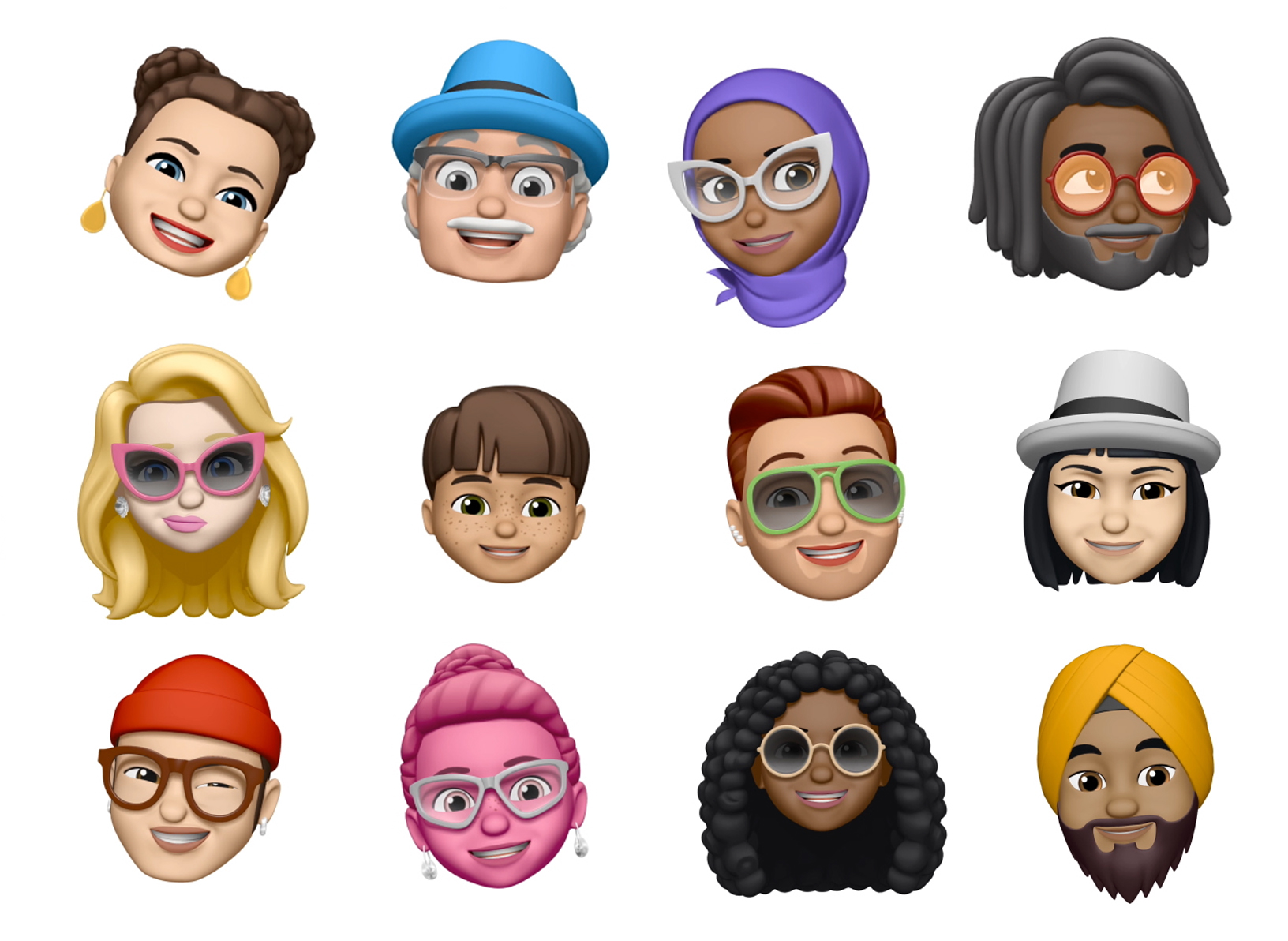
Apple has added more emojis and functionality for you to design your own Memoji with some of your personality stamped right on it. This is in addition to the existing Animoji and default emoji library that now includes a ghost, koala, tiger and T. rex. You can also use these emojis in the new Group FaceTime feature. The person who is speaking, naturally comes to the forefront during a call. Group FaceTime supports up to 32 people at one time for iOS and macOS.

Image via Apple

Image via Apple

Image via Apple

Image via Apple

Image via Apple

Image via Apple

Image via Apple

Image via Apple

Image via Apple

Image via Apple


Read on to Part 2 here. You can also view coverage from last year here.